


Lights all go out but my fogs?????


Thread Starter
|
Member

Joined: Oct 2005
Posts: 3,262
Likes: 1
From: Havre De Grace,Md
 Lights all go out but my fogs?????
Well I was driving to work this morning when I noticed all my interior lights went out, both my head lights went out, and the only thing left on was my aftermaket fog lights? Than about 15 seconds later everything came back on. Than all went out again??? So I turned the after market fogs off. Than 15sec later every thing came on again and was fine till I got to work???
I now have a Brand new 130 amp alt (Haven't upgraded the wire yet). A brand new battery. Lights are hooked up to relays and than hard wired into my running lights (hot wire). I have 3 led running lights in the front and 4 round a 1.4 volt red running lights in the back. ( leds and round running lights are hard wired in as well to my running light hot wire as well) and all aux lights are ran with industrial 14 guage wire. Just rewire all lights last week.
Note: when my head lights, running lights, and interior lights went out i looked a my battery level. And battery level was at normal when everything was off.
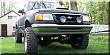
here are my lights:

Any good help would be great.
I now have a Brand new 130 amp alt (Haven't upgraded the wire yet). A brand new battery. Lights are hooked up to relays and than hard wired into my running lights (hot wire). I have 3 led running lights in the front and 4 round a 1.4 volt red running lights in the back. ( leds and round running lights are hard wired in as well to my running light hot wire as well) and all aux lights are ran with industrial 14 guage wire. Just rewire all lights last week.
Note: when my head lights, running lights, and interior lights went out i looked a my battery level. And battery level was at normal when everything was off.
here are my lights:
Any good help would be great.
Last edited by fletch12518; Oct 11, 2007 at 05:16 AM.
Thread Starter
|
Member
Joined: Oct 2005
Posts: 3,262
Likes: 1
From: Havre De Grace,Md
Originally Posted by Earl43P
Inspect your light switch and its connector and wires for integrity, overheating, etc.
99% sure it's gonna be the light switch in your dash, or its connector.
99% sure it's gonna be the light switch in your dash, or its connector.
I mean it just took out my whole lighting system???????
Joined: May 2004
Posts: 0
Likes: 7
From: CT
Dude, not everyone lives on here 24/7 and we don't get paid to standby for every new posting. You might need to give it more than an hour for someone to reply. You've been here a long time and have 3,000+ posts, you know that. That attitude is just going to make people ignore you.
For what it is worth, it is probably your headlight switch going bad. Thats the only common link between all those lights. If you have high wattage headlamps or have added a bunch of other lights to the circuit, that makes it even more likely.
For what it is worth, it is probably your headlight switch going bad. Thats the only common link between all those lights. If you have high wattage headlamps or have added a bunch of other lights to the circuit, that makes it even more likely.

Member
Joined: Nov 2005
Posts: 767
Likes: 4
From: Elizabeth City, NC
Matt's right Shane. Ease up.
Did you even LOOK at your light switch? They overheat and FAIL. Sometimes the CONNECTOR melts. Sometimes the WIRE to the switch connector melts. That's even MORE LIKELY if you ADDED more lights to this already "weak" wiring.
When you say your Fogs are "spliced" into your running lights, I assume they are not "stock" and you installed them. Hard for us to figure out what you did there, but I'll try.
I suggest you report back what you find when you get a good look at the light switch itself. If it is all good, we can go from there. I'll keep checking back, but after 4:30 I won't be back till Monday, but I'm sure someone else will try to help you over the weekend.
Did you even LOOK at your light switch? They overheat and FAIL. Sometimes the CONNECTOR melts. Sometimes the WIRE to the switch connector melts. That's even MORE LIKELY if you ADDED more lights to this already "weak" wiring.
When you say your Fogs are "spliced" into your running lights, I assume they are not "stock" and you installed them. Hard for us to figure out what you did there, but I'll try.
I suggest you report back what you find when you get a good look at the light switch itself. If it is all good, we can go from there. I'll keep checking back, but after 4:30 I won't be back till Monday, but I'm sure someone else will try to help you over the weekend.
Thread Starter
|
Member
Joined: Oct 2005
Posts: 3,262
Likes: 1
From: Havre De Grace,Md
Originally Posted by FireRanger
Dude, not everyone lives on here 24/7 and we don't get paid to standby for every new posting. You might need to give it more than an hour for someone to reply. You've been here a long time and have 3,000+ posts, you know that. That attitude is just going to make people ignore you.
For what it is worth, it is probably your headlight switch going bad. Thats the only common link between all those lights. If you have high wattage headlamps or have added a bunch of other lights to the circuit, that makes it even more likely.
For what it is worth, it is probably your headlight switch going bad. Thats the only common link between all those lights. If you have high wattage headlamps or have added a bunch of other lights to the circuit, that makes it even more likely.
That comment was trying to be smart and or ignorant in no way. I apologize if that looked to be written that day. Also I'm not on here 24/7 nor live by the computer. Only when I have a problem and am trying to gain as much information for myself. If my truck was not a DD I wouldn't have been pushing the issue. Again my apologies.
My lights did not go out this morning. I did run my head lights and the projectors at the same time. They stayed on. As for the head light switch. Is it possible you could tell me where it is? I am assuming that is what I replace correct?
Last edited by fletch12518; Oct 12, 2007 at 06:52 AM.
Thread Starter
|
Member
Joined: Oct 2005
Posts: 3,262
Likes: 1
From: Havre De Grace,Md
Originally Posted by Earl43P
Matt's right Shane. Ease up.
Did you even LOOK at your light switch? They overheat and FAIL. Sometimes the CONNECTOR melts. Sometimes the WIRE to the switch connector melts. That's even MORE LIKELY if you ADDED more lights to this already "weak" wiring.
When you say your Fogs are "spliced" into your running lights, I assume they are not "stock" and you installed them. Hard for us to figure out what you did there, but I'll try.
I suggest you report back what you find when you get a good look at the light switch itself. If it is all good, we can go from there. I'll keep checking back, but after 4:30 I won't be back till Monday, but I'm sure someone else will try to help you over the weekend.
Did you even LOOK at your light switch? They overheat and FAIL. Sometimes the CONNECTOR melts. Sometimes the WIRE to the switch connector melts. That's even MORE LIKELY if you ADDED more lights to this already "weak" wiring.
When you say your Fogs are "spliced" into your running lights, I assume they are not "stock" and you installed them. Hard for us to figure out what you did there, but I'll try.
I suggest you report back what you find when you get a good look at the light switch itself. If it is all good, we can go from there. I'll keep checking back, but after 4:30 I won't be back till Monday, but I'm sure someone else will try to help you over the weekend.
Yeah man, I took all the switches out yesterday. Went out and bout 5 dollar a piece L.E.D. switches. On the old switches where the contact points are and switch over. They were clean......others had like a dirtl oil film on them........those switches were not on when it happened tho. But again all switches are switched out with new led switches
As for splicing. Yes they are not foctory lights. You are correct
Last edited by fletch12518; Oct 12, 2007 at 06:53 AM.
Member
Joined: Nov 2005
Posts: 767
Likes: 4
From: Elizabeth City, NC
You know, the headlight switch on the left side of your instrument panel. It has three positions, OFF, Park, Head. It came with the truck.
Unless 96 had the headlight switch on the turn signal stalk (I have no idea), in which case you should suspect that Multifunction switch. Whichever you have, I'd certainly LOOK at the headlight/parking light switch, its connector and wiring.
Unless 96 had the headlight switch on the turn signal stalk (I have no idea), in which case you should suspect that Multifunction switch. Whichever you have, I'd certainly LOOK at the headlight/parking light switch, its connector and wiring.
Thread Starter
|
Member
Joined: Oct 2005
Posts: 3,262
Likes: 1
From: Havre De Grace,Md
Originally Posted by Earl43P
You know, the headlight switch on the left side of your instrument panel. It has three positions, OFF, Park, Head. It came with the truck.
Unless 96 had the headlight switch on the turn signal stalk (I have no idea), in which case you should suspect that Multifunction switch. Whichever you have, I'd certainly LOOK at the headlight/parking light switch, its connector and wiring.
Unless 96 had the headlight switch on the turn signal stalk (I have no idea), in which case you should suspect that Multifunction switch. Whichever you have, I'd certainly LOOK at the headlight/parking light switch, its connector and wiring.
Ok I got that switch on the dash where you turn it yes. What am i looking for when i take it apart. Burnt wires from being over loaded...........any type of film on the connectors on the switch?
Joined: May 2004
Posts: 0
Likes: 7
From: CT
Not that. Your truck's stock existing normal headlight switch. The one you turn on when it gets dark  They have a history of failing sometimes and that is what controls the existing exterior and interior lights. What you describe sounds like an intermittent failing headlight switch.
They have a history of failing sometimes and that is what controls the existing exterior and interior lights. What you describe sounds like an intermittent failing headlight switch.
Thread Starter
|
Member
Joined: Oct 2005
Posts: 3,262
Likes: 1
From: Havre De Grace,Md
Originally Posted by Earl43P
Ignore all your added switches.
Just look at the headlight switch, its connector and the wires going to it.
Just look at the headlight switch, its connector and the wires going to it.
Originally Posted by FireRanger
Not that. Your truck's stock existing normal headlight switch. The one you turn on when it gets dark They have a history of failing sometimes and that is what controls the existing exterior and interior lights. What you describe sounds like an intermittent failing headlight switch.
They have a history of failing sometimes and that is what controls the existing exterior and interior lights. What you describe sounds like an intermittent failing headlight switch.So once i get it out, how will i know its bad???????

I have the same problem as the others. The lighting system has a few mods and it is not clear how it has been wired.
My first thought is that the on/off/on/off symptom sounds suspiciously like circuit breaker activity.
Have you ever replaced any of the fuses with circuit breakers, especially those in the underhood distribution box? As far as I can tell, a stock 96 should have no CB's in the box. However Ford did use CB's on some Rangers that would fit into the any of the Maxifuse positions.
It would be an easy check to see if there are any circuit breakers in the Maxifuse positions (a group of 12~14 together). Check your paper owners manual or look it up online. If you don't have a paper book, it would be a a good idea to download one to your computer now - Ford usually keeps these online for only 10~12 years back.
Also- which are the lights that you are describing as "projectors"? Do they have any internal or external circuit breakers?
My first thought is that the on/off/on/off symptom sounds suspiciously like circuit breaker activity.
Have you ever replaced any of the fuses with circuit breakers, especially those in the underhood distribution box? As far as I can tell, a stock 96 should have no CB's in the box. However Ford did use CB's on some Rangers that would fit into the any of the Maxifuse positions.
It would be an easy check to see if there are any circuit breakers in the Maxifuse positions (a group of 12~14 together). Check your paper owners manual or look it up online. If you don't have a paper book, it would be a a good idea to download one to your computer now - Ford usually keeps these online for only 10~12 years back.
Also- which are the lights that you are describing as "projectors"? Do they have any internal or external circuit breakers?
Thread Starter
|
Member
Joined: Oct 2005
Posts: 3,262
Likes: 1
From: Havre De Grace,Md
Originally Posted by rwenzing
Also- which are the lights that you are describing as "projectors"? Do they have any internal or external circuit breakers?
they are the ones right next to the head light. the little circle ones. they are ran off a switch i have as well with a relay. no CB
Thread Starter
|
Member
Joined: Oct 2005
Posts: 3,262
Likes: 1
From: Havre De Grace,Md
Originally Posted by 5speedin2.3
if the switch is still good and everything, it could be a bad relay.
something could be dirty, or it could be a bad ground.
something could be dirty, or it could be a bad ground.
the after market relays i have for my aftermarket lights are all brand new. Or are you meaning the relay for my head lights/ electrical system?
Joined: May 2004
Posts: 0
Likes: 7
From: CT
The ONLY common link between interior and exterior lights is the headlight switch and the fuse(s) feeding it from the fuse panel.
So, these are the things that could be causing this:
- Loose fuse
- Self-reclosing circuit breaker where there should be a fuse
- Bad headlight switch
There is nothing else it can be and it is definitely not something else downstream towards the headlights or your aftermarket lights. The headlight switch may not look bad on the outside.
So, these are the things that could be causing this:
- Loose fuse
- Self-reclosing circuit breaker where there should be a fuse
- Bad headlight switch
There is nothing else it can be and it is definitely not something else downstream towards the headlights or your aftermarket lights. The headlight switch may not look bad on the outside.


