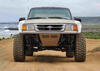
Photobucket mod


Photobucket mod
Not sure where to post this, but I've noticed alot of people are still unsure how to post pictures. So I made a little tutorial. Not saying you have to use photobucket... just what I chose.
1) First off before anything else, you need a Photobucket account. Just go to photobucket.com and sign up. Pretty simple.
2) Choose the sizes of the pictures you want to upload. Too big, you'll be shunned by everyone. Too small, you'll be shunned by everyone.

3) Click on the "Choose file" button to begin the process.

4) Highlight the files you want to uplodad

5) You will see the files being uploaded

6) Then you will see that the files have been uploaded

7) Right click on the "IMG Code" code and click on copy.

8) Paste the code into a message box and whatever rambling you desire.

9) Click Submit and standby to standby.

From there you can edit it more and blah blah blah.
(results not typical. based on a double blind study conducted in 1923.)
1) First off before anything else, you need a Photobucket account. Just go to photobucket.com and sign up. Pretty simple.
2) Choose the sizes of the pictures you want to upload. Too big, you'll be shunned by everyone. Too small, you'll be shunned by everyone.
3) Click on the "Choose file" button to begin the process.
4) Highlight the files you want to uplodad
5) You will see the files being uploaded
6) Then you will see that the files have been uploaded
7) Right click on the "IMG Code" code and click on copy.
8) Paste the code into a message box and whatever rambling you desire.
9) Click Submit and standby to standby.
From there you can edit it more and blah blah blah.
(results not typical. based on a double blind study conducted in 1923.)

Member

Joined: Nov 2008
Posts: 1,829
Likes: 0
From: Colorado