


Ranger Auto Interior Delay Lights Vid

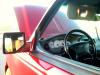
Thread Starter
|
Member

Joined: Jun 2009
Posts: 596
Likes: 1
From: USA
Ranger Auto Interior Delay Lights Vid
Hey their guys I wanted to show those who dont know what this mod is. I have uploaded a video to show you what it does. The instruction per performing this mod was taken from this board members post.
YouTube - Video 35
RWensing post and Although I had my auto dim mirror already hook up it was then when i saw the part in bold did i decide to redo the particular wires.
Tap the black/light blue of the overhead console into the black/light blue that goes to the factory Ranger dome connector.
Tap the light green/orange wires of the sunvisors and overhead console into the light green/orange that goes to the factory Ranger dome connector.
The dimmer wire of the overhead console is either red/black or light blue/red depending on the year. Tap it into the light blue/red of the ranger's radio harness.
The overhead console power wire is gray/yellow. Many how-to's tell you tap it into the yellow/black of the radio harness. That's OK unless you are also going to install the autolamp mirror. In that case, it is better to tap the gray/yellow of the console and the red/yellow of the mirror into the Ranger's gray/yellow - it can be found at several places but the easiest is probably at the heat/AC control panel. This change will keep the autolamps from turning on the headlights needlessly after dark when the ignition key in the ACCESSORY position.
Blue/white and blue/yellow to the same on the ambient temp sensor.
Gray/black tapped to the gray/black of the GEM.
Black to chassis ground.
YouTube - Video 35
RWensing post and Although I had my auto dim mirror already hook up it was then when i saw the part in bold did i decide to redo the particular wires.
Tap the black/light blue of the overhead console into the black/light blue that goes to the factory Ranger dome connector.
Tap the light green/orange wires of the sunvisors and overhead console into the light green/orange that goes to the factory Ranger dome connector.
The dimmer wire of the overhead console is either red/black or light blue/red depending on the year. Tap it into the light blue/red of the ranger's radio harness.
The overhead console power wire is gray/yellow. Many how-to's tell you tap it into the yellow/black of the radio harness. That's OK unless you are also going to install the autolamp mirror. In that case, it is better to tap the gray/yellow of the console and the red/yellow of the mirror into the Ranger's gray/yellow - it can be found at several places but the easiest is probably at the heat/AC control panel. This change will keep the autolamps from turning on the headlights needlessly after dark when the ignition key in the ACCESSORY position.
Blue/white and blue/yellow to the same on the ambient temp sensor.
Gray/black tapped to the gray/black of the GEM.
Black to chassis ground.


What happens if you lock the door? I know when I shut mine it will stay on until I press the lock button on the key fob. I don't know how long for sure because I usually lock my doors a few seconds after I get out.

yeah good point. when i lock my doors using the key fob, the ohc and dome light goes out immediately. if i dont lock it, the lights stay on for about 30 seconds or so... never really timed it.
Thread Starter
|
Member
Joined: Jun 2009
Posts: 596
Likes: 1
From: USA
yep great point. must have somethinmg to do with that white box that controls the security feature when locking your car. i dont have a keyfob. although i have power doors and all that now i lock the the car by pressing down on the power lock button. im pretty sure if i had the fob it would do what yours do. man i will code the fob tomorrow.
...and, just for clarification:
the "delay" slider on the mirror controls how many seconds your headlights will stay on after you've turned the truck off and removed the key from the ignition.
Martine -- when it gets dark out (assuming you completed connecting up all parts of the mirror), start your truck up and let the auto-headlights feature turn your headlights on... put the delay slider about halfway, and then turn the truck off -- the headlights should stay on for about a minute or so. the delay gets longer as you move the slider to the right, and shorter as you move it to the left. on the model of mirror you have, you should feel a slight "detent" at the extreme left part of the slider -- this turns the "auto-headlights" feature off completely (on mine, which is the older style mirror, there's a separate button to turn the feature on/off).
the "delay" slider on the mirror controls how many seconds your headlights will stay on after you've turned the truck off and removed the key from the ignition.
Martine -- when it gets dark out (assuming you completed connecting up all parts of the mirror), start your truck up and let the auto-headlights feature turn your headlights on... put the delay slider about halfway, and then turn the truck off -- the headlights should stay on for about a minute or so. the delay gets longer as you move the slider to the right, and shorter as you move it to the left. on the model of mirror you have, you should feel a slight "detent" at the extreme left part of the slider -- this turns the "auto-headlights" feature off completely (on mine, which is the older style mirror, there's a separate button to turn the feature on/off).
...and, just for clarification:
the "delay" slider on the mirror controls how many seconds your headlights will stay on after you've turned the truck off and removed the key from the ignition.
Martine -- when it gets dark out (assuming you completed connecting up all parts of the mirror), start your truck up and let the auto-headlights feature turn your headlights on... put the delay slider about halfway, and then turn the truck off -- the headlights should stay on for about a minute or so. the delay gets longer as you move the slider to the right, and shorter as you move it to the left. on the model of mirror you have, you should feel a slight "detent" at the extreme left part of the slider -- this turns the "auto-headlights" feature off completely (on mine, which is the older style mirror, there's a separate button to turn the feature on/off).
the "delay" slider on the mirror controls how many seconds your headlights will stay on after you've turned the truck off and removed the key from the ignition.
Martine -- when it gets dark out (assuming you completed connecting up all parts of the mirror), start your truck up and let the auto-headlights feature turn your headlights on... put the delay slider about halfway, and then turn the truck off -- the headlights should stay on for about a minute or so. the delay gets longer as you move the slider to the right, and shorter as you move it to the left. on the model of mirror you have, you should feel a slight "detent" at the extreme left part of the slider -- this turns the "auto-headlights" feature off completely (on mine, which is the older style mirror, there's a separate button to turn the feature on/off).
Thread Starter
|
Member
Joined: Jun 2009
Posts: 596
Likes: 1
From: USA
i just did it and yes the interior lights stay on when i close the door. and even when i lock the ranger with the keyfob they stay on for about 22 sec. i like this feature just like my bmw/mercedes
...and, just for clarification:
the "delay" slider on the mirror controls how many seconds your headlights will stay on after you've turned the truck off and removed the key from the ignition. Absolutely correct . i gave wrong info.
Martine -- when it gets dark out (assuming you completed connecting up all parts of the mirror), start your truck up and let the auto-headlights feature turn your headlights on... put the delay slider about halfway, and then turn the truck off -- the headlights should stay on for about a minute or so. the delay gets longer as you move the slider to the right, and shorter as you move it to the left. on the model of mirror you have, you should feel a slight "detent" at the extreme left part of the slider -- this turns the "auto-headlights" feature off completely (on mine, which is the older style mirror, there's a separate button to turn the feature on/off).
the "delay" slider on the mirror controls how many seconds your headlights will stay on after you've turned the truck off and removed the key from the ignition. Absolutely correct . i gave wrong info.
Martine -- when it gets dark out (assuming you completed connecting up all parts of the mirror), start your truck up and let the auto-headlights feature turn your headlights on... put the delay slider about halfway, and then turn the truck off -- the headlights should stay on for about a minute or so. the delay gets longer as you move the slider to the right, and shorter as you move it to the left. on the model of mirror you have, you should feel a slight "detent" at the extreme left part of the slider -- this turns the "auto-headlights" feature off completely (on mine, which is the older style mirror, there's a separate button to turn the feature on/off).
Nah I dont think so. and thats impossible as it is a entirely different setup.

Thread
Thread Starter
Forum
Replies
Last Post


